Hey everyone, Alex here, Editor-in-Chief at Headphones Me. Let’s talk about one of the most maddening experiences in modern audio: you’re lost in a killer guitar solo, you turn to look out the window, and… silence. The music just stops. If you’ve ever found yourself asking, Why Does My Music Pause When I Move My Head, trust me, you’re not in the minority. This is one of those tech quirks that can drive anyone crazy, but the good news is, it’s almost always fixable.
Whether you’re using the latest true wireless earbuds or a trusty pair of over-ears, this phantom pause is usually caused by a handful of predictable culprits. Today, we’re going to dive deep, diagnose the problem together, and get your listening sessions back on track, uninterrupted. Let’s break it down.
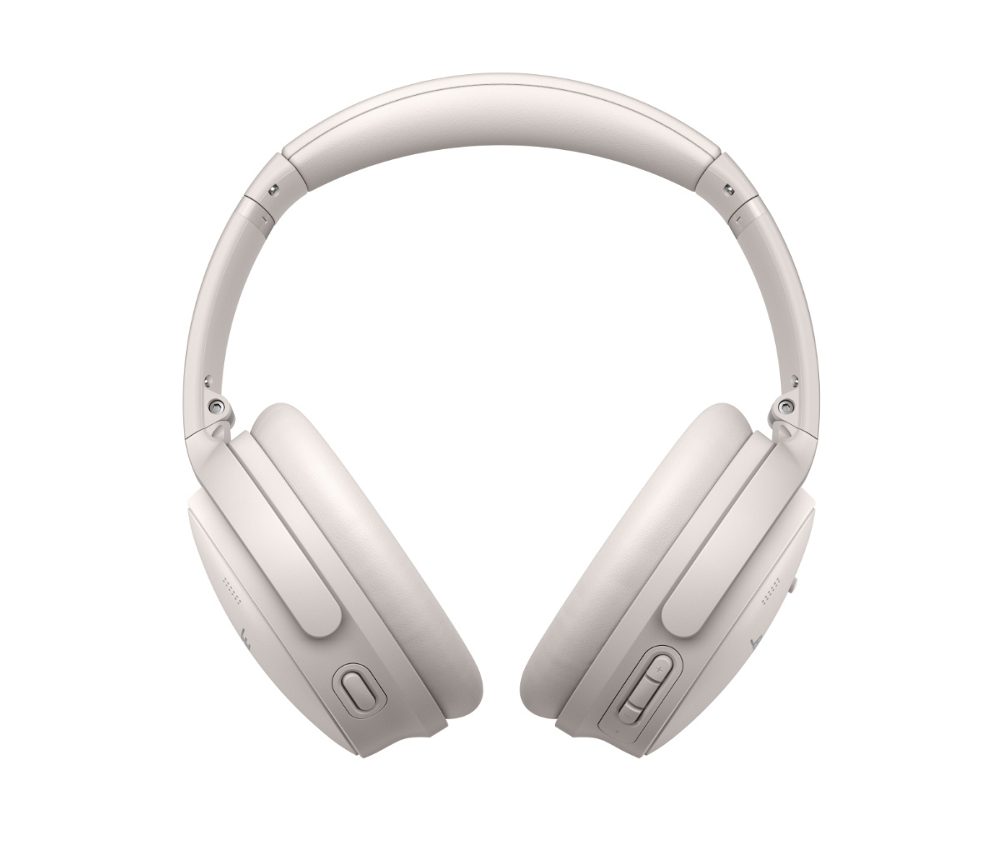
The Number One Suspect: Overly Eager Wear-Detection Sensors
The most common reason your music is playing stop-and-go is a feature, not a bug. I’m talking about in-ear or wear-detection sensors.
Most modern wireless headphones, from AirPods Pro to the Sony WH-1000XM5, are packed with tiny infrared or proximity sensors. Their job is simple: detect when you take the headphones off and automatically pause your music. When you put them back on, the music resumes. It’s a fantastic quality-of-life feature… when it works.
The problem arises when these sensors get confused. A slight shift in the headphones’ position as you turn your head can be enough to trick the sensor into thinking you’ve taken them off.
As our in-house audio engineer, Johnathan Carter, often says, “These sensors rely on proximity and light. Anything that breaks that delicate connection, even for a millisecond, can trigger a pause. It’s a trade-off between convenience and sensitivity.”
What Causes Wear-Detection Sensors to Misfire?
Several things can fool these smart sensors:
- A Poor Fit: If your headphones or earbuds aren’t seated securely, moving your head can create a small gap between the sensor and your skin, triggering the pause function. This is especially common with earbuds if you’re using the wrong-sized ear tip.
- Hair: Long hair getting between the sensor and your ear is a classic cause.
- Hats, Glasses, and Hoodies: The arm of your glasses or the fabric of a beanie or hoodie can interfere with the sensor’s line of sight.
- Dirt and Debris: A smudge of skin oil or a bit of dust covering the sensor window can disrupt its ability to get a clear reading.
How to Fix Sensor-Related Pausing
Fortunately, this is usually an easy fix. Here’s a step-by-step approach to tame those overactive sensors:
- Perfect Your Fit: Start by making sure your headphones are snug. For over-ear models, adjust the headband so the earcups form a solid seal. For earbuds, experiment with the different sizes of silicone or foam tips included in the box. A secure fit is crucial not just for this issue, but for optimal audio quality and noise cancellation, too.
- Clean the Sensors: Take a dry microfiber cloth and gently wipe the inside of the earcups or the surface of the earbuds where the small, dark sensor windows are located.
- Turn the Feature Off: If all else fails, the nuclear option is to simply disable the feature. Dive into your headphones’ companion app (like the Sony Headphones Connect or Bose Music app) and look for a setting called “Automatic Wear Detection,” “In-Ear Detection,” or “Auto Pause.” Toggling this off will stop the pausing for good, though you’ll lose the convenience of auto-play/pause.
Bluetooth Blues: When Your Connection Gets Shaky
If you’ve ruled out the sensors, the next culprit to investigate is your Bluetooth connection. While Bluetooth technology has come a long way, it’s still just a radio signal, and signals can be interrupted.
Think of it like a walkie-talkie. If something big gets between you and your friend, the signal gets choppy. The same thing happens with your headphones. Often, the “big thing” is your own body. If you keep your phone in your back-right pocket and your headphone’s primary Bluetooth receiver is in the left earcup, turning your head to the left can put enough of your body in the signal’s path to cause a brief dropout, which some phones or apps interpret as a pause. This helps explain why does my music pause when i move my head, especially when walking or running.
How to Stabilize Your Bluetooth Connection
- Mind Your Source: The easiest fix is to move your audio source (your phone, tablet, etc.) to a front pocket or place it on the desk in front of you. Minimizing the distance and physical obstructions is key.
- Update Everything: Manufacturers are constantly improving connection stability through firmware. Check your headphone’s app for any available firmware updates. While you’re at it, make sure your phone’s operating system and your music app are also up to date.
- Re-Pair Your Headphones: Sometimes the digital “handshake” between your devices just gets scrambled. Go into your phone’s Bluetooth settings, “Forget Device,” and then pair your headphones again from scratch. This can solve a surprising number of gremlins.
What If I’m Using Wired Headphones?
This problem isn’t exclusive to the wireless world. If you’re using a classic pair of wired cans and find your music pausing, the issue is almost certainly physical.
When you move your head, the cable moves with you. If the 3.5mm jack isn’t fully seated in the port, or if the port itself is dirty, that movement can cause a momentary disconnection. Your phone’s software sees this as the same thing as you pressing the “pause” button on an inline remote, and it stops the music. A frayed or damaged wire inside the cable can also cause the same effect.
Troubleshooting Wired Pausing
- Check the Jack: Make sure the plug is pushed in all the way. You should feel a satisfying click.
- Clean the Port: Pocket lint is the mortal enemy of headphone jacks. Power down your phone and use a wooden or plastic toothpick to gently scrape out any debris.
- Test the Cable: Try a different pair of wired headphones. If the problem disappears, you know your original headphones’ cable is likely the issue.
Accidental Touches and Gesture Controls
Many modern headphones, like the Bose 700 or Apple’s AirPods Max, feature touch-sensitive surfaces for controlling playback. A tap to play/pause, a swipe to change volume. While futuristic, they can be a bit sensitive.
When you turn your head, it’s possible your shoulder, the collar of your jacket, or a hoodie is brushing against the earcup and accidentally triggering the pause command. This is less common, but I’ve seen it happen during my testing, especially with bulky winter coats.
If you suspect this is the case, try being more aware of your movements or check the companion app to see if you can temporarily disable the touch controls to diagnose the problem.
Frequently Asked Questions (FAQ)
Q: Can a low battery cause my music to randomly pause?
A: Yes, it can. While not directly tied to head movement, a critically low battery life can cause all sorts of performance issues, including connection instability and random pausing. If your headphones are below 20% battery, try charging them fully to see if the issue resolves.
Q: Why does my audio only pause on one side?
A: This strongly suggests a problem with the wear-detection sensor on that specific earbud or earcup. Try cleaning the sensor on the problematic side first. If that doesn’t work, check if the fit on that side is looser than the other.
Q: How do I turn off the auto-pause feature on my AirPods?
A: For AirPods, you can disable this feature directly from your iPhone’s settings. With your AirPods connected, go to Settings > Bluetooth, tap the “i” icon next to your AirPods’ name, and then toggle off “Automatic Ear Detection.”
Q: Could the problem be with my phone and not my headphones?
A: Absolutely. A software bug in your music app (like Spotify or Apple Music) or a system-level glitch can cause pausing. Try restarting your phone, updating your apps, or even testing the headphones with a different source device (like a laptop or tablet) to isolate the problem.
Q: Does noise cancellation affect why my music might pause?
A: The noise cancellation system itself doesn’t directly cause pausing. However, headphones with advanced ANC often also have the most sensitive wear-detection sensors and complex software, so the features are correlated. The problem isn’t the ANC, but rather the other smart features that come with it.
Getting Back to Uninterrupted Listening
Dealing with your audio cutting out every time you look around is incredibly disruptive. It pulls you right out of the immersive experience that good headphones are supposed to provide. The good news is that by systematically checking the most likely causes—wear sensors, Bluetooth stability, and physical connections—you can almost always solve the puzzle.
So, the next time you wonder why does my music pause when i move my head, you’ll have a checklist ready to go. Start with the sensors and the fit, as they are the culprits 90% of the time. If you’re still stuck, a simple re-pair or a check for firmware updates can often work wonders.
Happy listening, and may your playlists play on, no matter which way you turn. For more deep dives and honest reviews on the latest in audio tech, stay tuned to Headphones Me.