Are you eager to immerse yourself in the rich soundscapes of your favorite PS5 games, free from the tangle of wires? Many gamers face a common dilemma: trying to connect their beloved Bluetooth headphones directly to their PlayStation 5, only to be met with frustration. The promise of wireless freedom for gaming audio is appealing, but the PS5’s unique Bluetooth implementation often leaves players searching for solutions. This guide will unravel the complexities, explain why direct connections often fail, and provide you with a comprehensive roadmap to seamlessly integrate your Bluetooth headphones or other wireless audio devices with your PS5, enhancing every gaming session.
Understanding PS5’s Bluetooth Limitations
The PlayStation 5, a marvel of modern gaming technology, indeed features Bluetooth connectivity. However, it’s crucial to understand that this built-in Bluetooth primarily serves to connect controllers and other specific peripherals, not for general audio streaming from standard Bluetooth headphones. Many gamers assume that because their phone or PC can connect to their headphones, their PS5 should too, leading to disappointment.
Sony designed the PS5’s Bluetooth protocol with a strong emphasis on controller responsiveness and system stability. Integrating a general Bluetooth audio stack with the low-latency requirements for gaming audio, especially considering varying codecs and potential interference, proved challenging for direct implementation. This means that while your PS5 can effortlessly pair with a DualSense controller via Bluetooth, it lacks the necessary profiles to recognize and transmit game audio to most off-the-shelf Bluetooth headphones. Attempting to pair them directly through the PS5’s accessory settings typically results in a “This Bluetooth device is not supported” message.
The Primary Solution: USB Bluetooth Audio Adapters
Since the PS5 doesn’t natively support standard Bluetooth audio, the most reliable and widely used solution is to employ a USB Bluetooth audio adapter, often referred to as a dongle. These adapters effectively bypass the PS5’s internal limitations by acting as their own audio transmitter, converting the PS5’s USB audio output into a Bluetooth signal that your headphones can understand. This simple plug-and-play device opens up a world of wireless audio possibilities for your console.
When selecting a USB Bluetooth adapter, prioritize those that support low-latency codecs like aptX Low Latency (aptX LL). Standard Bluetooth codecs can introduce a noticeable delay between the on-screen action and the audio you hear, which can be detrimental in fast-paced games. An aptX LL adapter significantly reduces this lag, ensuring your audio stays perfectly synchronized with your gameplay. Most modern adapters are compact, plugging directly into one of the PS5’s USB-A or USB-C ports, making them an unobtrusive addition to your setup.
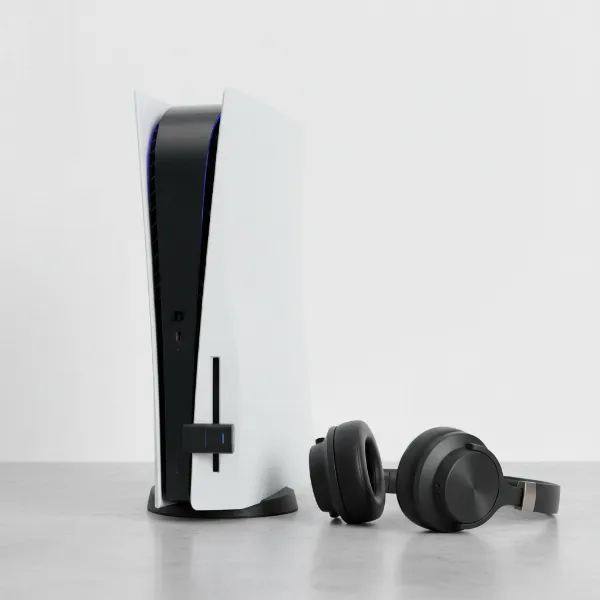 A PS5 console with a USB Bluetooth adapter plugged into its front port, and a pair of generic Bluetooth over-ear headphones resting nearby.
Connecting your Bluetooth headphones using an adapter is straightforward:
- Plug in the Adapter: Insert the USB Bluetooth audio adapter into an available USB port on your PS5 (either front or back).
- Pair the Adapter: The adapter will usually enter pairing mode automatically, indicated by a blinking light. If not, consult its manual for instructions on how to initiate pairing.
- Put Headphones in Pairing Mode: Place your Bluetooth headphones into their pairing mode. This typically involves holding down a power or dedicated pairing button until an indicator light blinks.
- Connect: The adapter and your headphones should find each other and pair. Once connected, the adapter’s light will usually become solid.
- Configure PS5 Audio Output: On your PS5, navigate to Settings > Sound > Audio Output. Under “Output Device,” select the USB adapter (it might appear as “USB Headset” or the adapter’s brand name). Ensure “Output to Headphones” is set to “All Audio” for game sound and chat.
- Adjust Volume: You can adjust the volume directly on your headphones or through the PS5’s quick menu by pressing the PlayStation button.
The main advantage of this method is its versatility; you can use virtually any Bluetooth headphones you already own. The primary disadvantage, if you don’t choose an aptX LL compatible adapter and headphones, can be audio latency, which is a critical factor for competitive gaming.
Alternative Wireless Audio Solutions for PS5
While USB Bluetooth adapters offer a flexible way to use your existing headphones, several other wireless audio solutions provide seamless integration and often superior performance for dedicated PS5 gaming. These alternatives bypass the standard Bluetooth protocol entirely, offering a direct and optimized connection.
Official PS5 Wireless Headsets (e.g., Pulse 3D)
|
Our Picks for the Best headphone in 2026
As an Amazon Associate I earn from qualifying purchases.
|
||
| Num | Product | Action |
|---|---|---|
| 1 | Amazon Basics Bluetooth On-Ear Headphones Wireless with Microphone, Deep Bass, 35 Hour Playtime, Foldable, Collapsible, Portable Travel Friendly, Black |

|
| 2 | Sony WH-CH720N Noise Canceling Wireless Headphones Bluetooth Over The Ear Headset with Microphone and Alexa Built-in, White New |
|
| 3 | Amazon Basics On Ear Wired Computer Headset with Adjustable Microphone, 3.5mm Port or in-Line Control with USB-A Port, Foldable, Clear Sound, Small/Medium Size, Black |
|
| 4 | Soundcore by Anker Q20i Hybrid Active Noise Cancelling Headphones, Wireless Over-Ear Bluetooth, 40H Long ANC Playtime, Hi-Res Audio, Big Bass, Customize via an App, Transparency Mode (White) |
|
| 5 | Soundcore by Anker Q20i Hybrid Active Noise Cancelling Headphones, Wireless Over-Ear Bluetooth, 40H Long ANC Playtime, Hi-Res Audio, Big Bass, Customize via an App, Transparency Mode (Pink) |
|
| 6 | Amazon Basics Hybrid Active Noise Cancelling Headphones, 35 Hours Playtime with ANC on and 45 Hours with ANC Off, Wireless, Over Ear Comfortable Fit, Bluetooth, One Size, Black |
|
| 7 | Sony WH-CH720N Noise Canceling Wireless Headphones Bluetooth Over The Ear Headset with Microphone and Alexa Built-in, Black New |
|
| 8 | Soundcore by Anker Q20i Hybrid Active Noise Cancelling Headphones, Wireless Over-Ear Bluetooth, 40H Long ANC Playtime, Hi-Res Audio, Big Bass, Customize via an App, Transparency Mode |
|
| 9 | Sony WH-CH720N Noise Canceling Wireless Headphones Bluetooth Over The Ear Headset with Microphone, Pink |
|
| 10 | Soundcore by Anker Q20i Hybrid Active Noise Cancelling Headphones, Wireless Over-Ear Bluetooth, 40H Long ANC Playtime, Hi-Res Audio, Big Bass, Customize via an App, Transparency Mode |
|
Sony’s own lineup of wireless headsets, such as the Pulse 3D Wireless Headset, is designed specifically for the PlayStation ecosystem. These headsets connect to the PS5 via a dedicated USB dongle that uses a proprietary 2.4GHz wireless connection, rather than standard Bluetooth. This dedicated connection ensures extremely low latency and full compatibility with the PS5’s advanced features, including the immersive 3D Audio engine.
The advantages of official headsets are significant: effortless plug-and-play setup, guaranteed compatibility, and often dedicated features like on-headset volume controls and game/chat balance mixers. They are optimized to deliver the intended audio experience for PS5 games. However, their primary downside is that they are generally limited to the PlayStation ecosystem and may not offer the same universal connectivity as standard Bluetooth headphones for other devices. They also represent a specific aesthetic and sound profile, which might not appeal to everyone.
Proprietary 2.4GHz Wireless Gaming Headsets
Beyond official Sony offerings, many third-party gaming headset manufacturers, like SteelSeries, HyperX, and Astro, offer their own high-performance wireless headsets. These often utilize a similar 2.4GHz USB dongle system to create a direct, low-latency connection with your PS5. Like the official headsets, they are not standard Bluetooth headphones but provide a dedicated wireless link.
These headsets are engineered specifically for gaming, focusing on crucial aspects like clear microphone quality, extended battery life, and comfortable designs for long sessions. They often come with robust software (for PC, though sometimes with on-headset profiles) and superior audio drivers tuned for competitive and immersive gameplay. The main benefit is their ultra-low latency and consistent performance, often surpassing what generic Bluetooth adapters can offer. The trade-off is that they are specialized gaming peripherals, and while some may have auxiliary Bluetooth for mobile devices, their primary wireless connection is proprietary.
Factors to Consider When Choosing Your PS5 Wireless Audio Setup
Selecting the ideal wireless audio solution for your PS5 goes beyond just connecting a device; it’s about optimizing your entire gaming experience. Several critical factors should influence your decision, ensuring you get the best sound, comfort, and functionality.
Audio Quality
The cornerstone of any good audio setup is sound quality. For gaming, this encompasses not just fidelity but also crucial elements like latency, which is the delay between an action and its corresponding sound. Opt for solutions with low-latency codecs (like aptX LL for Bluetooth adapters) or proprietary 2.4GHz wireless systems to minimize lag. Consider the headset’s sound profile—do you prefer rich bass for explosions, clear mids for dialogue, or crisp highs for footsteps in competitive titles? Also, ensure your chosen solution fully supports PS5’s revolutionary 3D Audio, which enhances spatial awareness and immersion.
Comfort and Fit
Gaming sessions can last for hours, making comfort paramount. Headsets should have well-padded earcups, preferably with breathable materials like velour or cooling gel, to prevent heat buildup and pressure. The headband should be adjustable and distribute weight evenly across your head to avoid fatigue. A lightweight design is also beneficial. Over-ear designs typically offer better noise isolation and comfort for extended wear compared to on-ear or in-ear options.
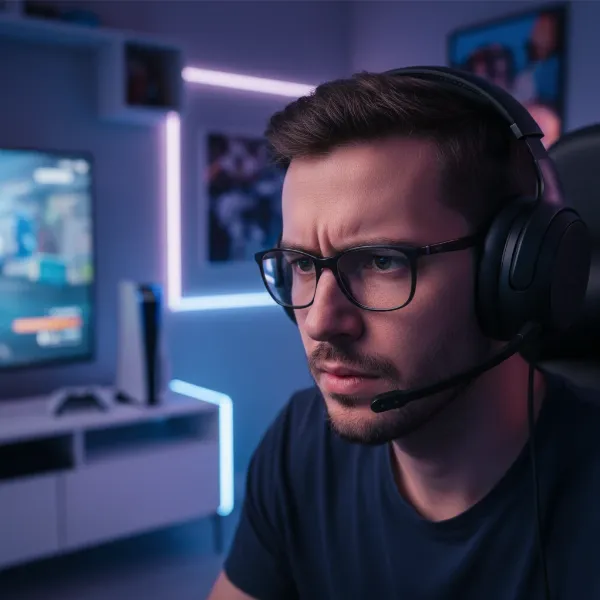 A focused gamer wearing comfortable wireless headphones, playing on a PlayStation 5, showing immersion.
Microphone Performance
For online multiplayer games, a clear and reliable microphone is non-negotiable. Your teammates need to hear you without distortion or excessive background noise. Look for microphones with noise-canceling features to filter out ambient sounds. Some headsets offer retractable or detachable mics for convenience when not in use. Check reviews specifically for mic quality, as a poor microphone can severely hinder team communication.
Battery Life and Connectivity Range
For wireless freedom, sufficient battery life is essential. Most quality wireless gaming headsets offer anywhere from 15 to 30+ hours of use on a single charge, which is more than enough for most gaming sessions. Consider how often you’re willing to charge. The connectivity range is also important; if you tend to move around your gaming space or play in a larger room, a stable connection up to 10-15 meters (30-50 feet) will provide uninterrupted audio.
Durability and Build Quality
A good gaming headset or adapter is an investment, so durability matters. Look for robust construction, often involving metal frames or high-quality plastics, that can withstand daily use. Check for potential weak points like hinges or cable connections if applicable. High-quality materials not only enhance longevity but can also contribute to overall comfort and a premium feel.
Ease of Setup and Use
While most solutions are relatively straightforward, some offer a more seamless “plug-and-play” experience than others. Official PS5 headsets and dedicated 2.4GHz gaming headsets often require minimal setup beyond plugging in a dongle. USB Bluetooth adapters might require an extra step for pairing. Consider features like on-headset controls for volume, mute, and game/chat balance for ultimate convenience during gameplay.
Recommended Wireless Audio Setups for PS5
When it comes to outfitting your PS5 with wireless audio, there isn’t a single “best” solution, but rather several excellent options catering to different needs and budgets. Here’s a breakdown of recommended types and exemplary products to consider.
Best USB Bluetooth Adapters
For those who wish to utilize their existing Bluetooth headphones, a high-quality USB adapter is paramount. The key differentiator here is low latency.
- Creative BT-W5/BT-W4: These are highly recommended for their support of aptX Adaptive and aptX Low Latency codecs, ensuring minimal audio lag. They are compact, plug directly into the PS5’s USB-C port (or USB-A with an adapter), and are known for their stable connections. They offer a straightforward way to use a wide range of Bluetooth headphones.
- Avantree DG80: Another popular choice known for its aptX Low Latency support and easy setup. It’s a reliable option for turning your standard Bluetooth headphones into a PS5-compatible gaming audio solution.
Key Features to Look For: aptX Low Latency or aptX Adaptive codec support, a built-in microphone passthrough (if your headphones don’t have a mic or you prefer the adapter’s mic), and USB-C compatibility for newer devices.
Top Official & Proprietary Wireless Gaming Headsets
If seamless integration, guaranteed performance, and dedicated gaming features are your priority, investing in a specialized gaming headset is often the best route.
- Sony Pulse 3D Wireless Headset: This is the official and most integrated solution. It’s purpose-built for the PS5, offering excellent 3D Audio support, a comfortable design, and intuitive controls. Its 2.4GHz dongle provides an incredibly stable, low-latency connection. While the sound quality is good, some audiophiles might prefer more premium alternatives.
- SteelSeries Arctis Series (e.g., Arctis 7P+, Arctis Nova 7P Wireless): SteelSeries is a leader in gaming audio, and their “P” series headsets are specifically designed for PlayStation. They use a proprietary 2.4GHz wireless dongle (often USB-C) for ultra-low latency and feature exceptional sound quality, comfortable designs, and excellent retractable microphones. They often include Bluetooth connectivity for mobile use alongside their gaming wireless.
- HyperX Cloud Alpha Wireless: Known for its incredible battery life (up to 300 hours!) and signature HyperX comfort and sound. It uses a 2.4GHz wireless dongle for a solid, low-latency connection to the PS5, making it a fantastic choice for marathon gaming sessions.
- Astro A50 X Wireless: A premium, high-end option for enthusiasts. It offers robust build quality, exceptional sound, and a comfortable fit, connecting via a dedicated base station that serves as a multi-platform hub. The A50 X specifically introduces advanced features like HDMI 2.1 passthrough for seamless switching between consoles.
Comparison Overview:
| Feature | USB Bluetooth Adapter (e.g., Creative BT-W5) | Official PS5 Headset (e.g., Pulse 3D) | Proprietary 2.4GHz Headset (e.g., Arctis 7P+) |
| :———————- | :————————————————- | :——————————————— | :——————————————– |
| Connectivity | Bluetooth (via USB dongle) | Dedicated 2.4GHz wireless (via USB dongle) | Dedicated 2.4GHz wireless (via USB dongle) |
| Latency | Low (with aptX LL/Adaptive headphones) | Very Low | Very Low |
| Compatibility | Use any Bluetooth headphones | PS5/PS4, PC | PS5/PS4, PC, sometimes Bluetooth for mobile |
| 3D Audio Support | Yes (via PS5’s processing) | Fully optimized and integrated | Yes (via PS5’s processing) |
| Mic Quality | Depends on headphone mic | Good, integrated | Excellent, often retractable |
| Setup Ease | Easy (plug & pair) | Plug & play | Plug & play |
| Price | Adapter: $20-50 + existing headphones | Mid-range ($100-150) | Mid to High-end ($150-300+) |
| Key Benefit | Versatility, use existing headphones | Seamless integration, official experience | Premium audio, comfort, features for gaming |
Your Buying Guide: Finding the Perfect PS5 Wireless Audio
Navigating the world of PS5 wireless audio can feel overwhelming, but a systematic approach will help you pinpoint the best solution for your unique gaming habits and preferences. By following these steps, you’ll ensure your investment enhances every sound from your PlayStation 5.
Define Your Needs
Before diving into products, clarify what you truly need. Are you a casual gamer who primarily plays single-player adventures, or a competitive enthusiast where every audio cue matters? Do you mostly play alone, or is clear communication with teammates a priority? Consider if you’ll also use the headphones for music, movies, or other devices. Your answers will shape whether a versatile Bluetooth adapter or a dedicated gaming headset is more suitable.
Understand Compatibility
The core challenge with the PS5 and Bluetooth headphones is direct compatibility. Remember that standard Bluetooth headphones won’t connect natively for audio. Therefore, your choice lies between a USB Bluetooth adapter (allowing you to use your existing Bluetooth headphones) or a proprietary 2.4GHz wireless gaming headset (which comes with its own USB dongle). Both offer wireless freedom but achieve it through different technical pathways.
Research Key Features
Once you’ve narrowed down the type of solution, focus on specific features. For adapters, prioritize aptX Low Latency support to prevent audio lag. For any wireless solution, evaluate audio quality (sound profile, 3D Audio compatibility), comfort (for those long gaming marathons), and microphone performance (if you play online). Battery life and wireless range are also crucial for uninterrupted play.
Read Reviews and Watch Comparisons
Leverage the experience of others. Search for reviews and comparison videos from reputable tech and gaming sites. Pay close attention to feedback regarding latency, microphone clarity, comfort during extended use, and overall build quality. User reviews can also highlight common issues or unexpected benefits that official product descriptions might miss.
Consider Your Budget
Wireless audio solutions for PS5 range from affordable USB adapters (plus your existing headphones) to premium, high-end gaming headsets. Establish a realistic budget and explore options within that range. Remember that sometimes spending a little more upfront for a quality product can save you frustration and the cost of replacements later on. A mid-range dedicated gaming headset often provides the best balance of performance and value.
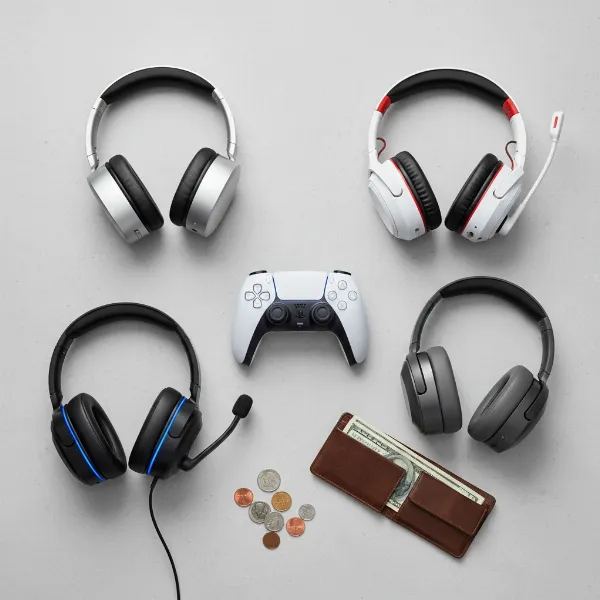 Various types of wireless headphones and a PS5 controller, with a wallet and coins, illustrating budget considerations.
Where to Buy
Always purchase your wireless audio solution from reputable retailers, whether online or brick-and-mortar. This ensures you receive genuine products, benefit from warranty coverage, and have access to reliable customer support and return policies. Be wary of unverified sellers or deals that seem too good to be true.
Conclusion
Connecting Bluetooth headphones to your PS5, while not always a direct process, is entirely achievable with the right knowledge and tools. By understanding the PS5’s inherent Bluetooth limitations and embracing solutions like USB Bluetooth audio adapters or dedicated 2.4GHz wireless gaming headsets, you can unlock a superior, wire-free audio experience. Prioritizing low latency, comfort, and microphone quality will ensure that every explosive battle, subtle footstep, and crucial team call is delivered with crystal clarity.
Upgrading your PS5 audio setup to wireless can fundamentally transform your immersion and competitive edge, allowing you to truly get lost in the game without distraction. So, what wireless audio solution will you choose to elevate your PlayStation 5 gaming sessions to the next level?
Frequently Asked Questions
Can I connect any Bluetooth headphones directly to the PS5?
No, the PS5’s built-in Bluetooth is primarily for controllers and specific peripherals, not for standard Bluetooth audio streaming. You will typically need a USB Bluetooth audio adapter or a dedicated 2.4GHz wireless gaming headset.
What is audio latency and why is it important for PS5 gaming?
Audio latency is the delay between an action in the game and when you hear its corresponding sound. For PS5 gaming, low latency is crucial for responsiveness and immersion, especially in competitive titles where split-second audio cues can impact gameplay.
What kind of USB adapter should I look for to connect my Bluetooth headphones to PS5?
Look for a USB Bluetooth audio adapter that supports low-latency codecs like aptX Low Latency (aptX LL) or aptX Adaptive. These codecs significantly reduce audio delay, providing a more synchronized gaming experience.
Do official PS5 headsets like the Pulse 3D use Bluetooth?
No, official PS5 wireless headsets like the Pulse 3D use a dedicated 2.4GHz wireless USB dongle for connectivity, not standard Bluetooth. This proprietary connection ensures low latency and seamless integration with the console.
Can I use a regular gaming headset with a 3.5mm jack with my PS5?
Yes, you can connect a regular gaming headset with a 3.5mm jack directly to the 3.5mm port on your PS5 DualSense controller. This is a simple wired solution, but it doesn’t offer wireless freedom.
Will a USB Bluetooth adapter support the PS5’s 3D Audio features?
Yes, when you use a USB Bluetooth adapter (or any headset connected via USB), the PS5’s audio processing engine, including 3D Audio, will still work. The adapter simply transmits the processed audio signal wirelessly to your headphones.